


Renewal tracker for contracts and subscriptions
Track every renewal in one place — the contracts you bill and the subscriptions you pay for. Free renewal tracker built for people running a business alone.
 7 minSeptember 5, 2026
A renewal tracker does one job: it tells you, ahead of time, when a contract or subscription is about to renew, so you can act while it still matters. Two examples of what happens without one:
- A tool you stopped using a year ago just renewed and charged you again.
- A client's maintenance contract auto-renewed at your 2023 rate — no price increase, no conversation.
Nobody made either decision. That's the actual pattern: renewals don't fail because of a bad call, they fail because no one made a call at all. If you're a web designer, consultant, agency of one, or bookkeeper running retainers, maintenance plans, hosting, or ongoing packages, you're both the vendor manager and the account manager — and nothing reminds you either way.
Why renewals slip
Renewal cycles are longer than memory. Something that renews once a year has to survive twelve months of you not thinking about it, then get caught inside a 30- or 60-day notice window that's usually buried in an old email. In a company, someone owns that job. Running solo, no one does, so it renews by default — because default is the only thing that happens when no one's watching for it.
Two directions, one problem
Two kinds of renewals run quietly in the background of a one-person business, and they're rarely tracked together — if they're tracked at all.
| What you pay | What you're owed | |
|---|---|---|
| Examples | Tools, hosting, insurance, domains | Retainers, maintenance, hosting resale, ongoing packages |
| Failure mode | Renewed something you'd stopped using | Renewed at an old rate, or lapsed unbilled |
| What it costs | Money out you didn't decide on | Revenue that quietly flattens |
Most people, if they track anything, track what they pay — it's the one with a bank charge attached. What you're owed is quieter: nothing alerts you when a retainer renews at an old rate, or lapses unbilled for two months. It's also usually the bigger number — a few retainers stuck at outdated rates cost more per year than every forgotten subscription combined.
What actually needs tracking
Track four things per contract:
- Renewal date. When it renews if nothing changes.
- Current rate. What you're paying or billing right now.
- Notice period. How far ahead you have to act.
- Decision deadline. The last day you can still act.
Almost nobody records the decision deadline, and it's the one that matters. A contract renewing January 1st with a 30-day notice period has a decision deadline of December 1st. Miss that, and your only options on January 2nd are live with it or start over. Track it, and you can still renegotiate, compare options, or choose to let it ride.
The review that should happen
Skip the quarterly audit. Once a year, per contract, right before its decision deadline, ask one question: is this still worth what it costs?
- Paying for it? Are you still using it, and is there a better option now.
- Being paid for it? Are you still delivering what was agreed, and has the scope grown without the price following.
That's the whole process: one deliberate check, at the one moment it's cheap to change something.
Renewals are also a forecast
The same dates double as a forecast. Know which retainers renew in March, which contracts run through summer, and which subscriptions hit in Q3, and you already know a chunk of next quarter's income. That's planning instead of guessing.
Tracking renewals in Clarivy
Clarivy keeps both directions of this in one place, alongside the rest of your business, instead of in a separate tool you also have to remember to check. Setting it up takes a few minutes:
- Build a table. Add a row for each client contract or subscription you want to track — a recurring contracts table for what you bill, a recurring costs table for what you pay.
- Fill in what and how much. The client or product, the subscription or plan, and the amount, so the number is attached to what it's actually for instead of floating on a card statement.
- Set the start and end date. That's your renewal date. If it auto-renews, mark it as such, so you know it won't just quietly stop on its own.
- Set a reminder. Choose how long before the end date or auto-renewal you want to hear about it — three weeks, a month, whatever gives you room to act. It shows up on your dashboard and in your weekly report.
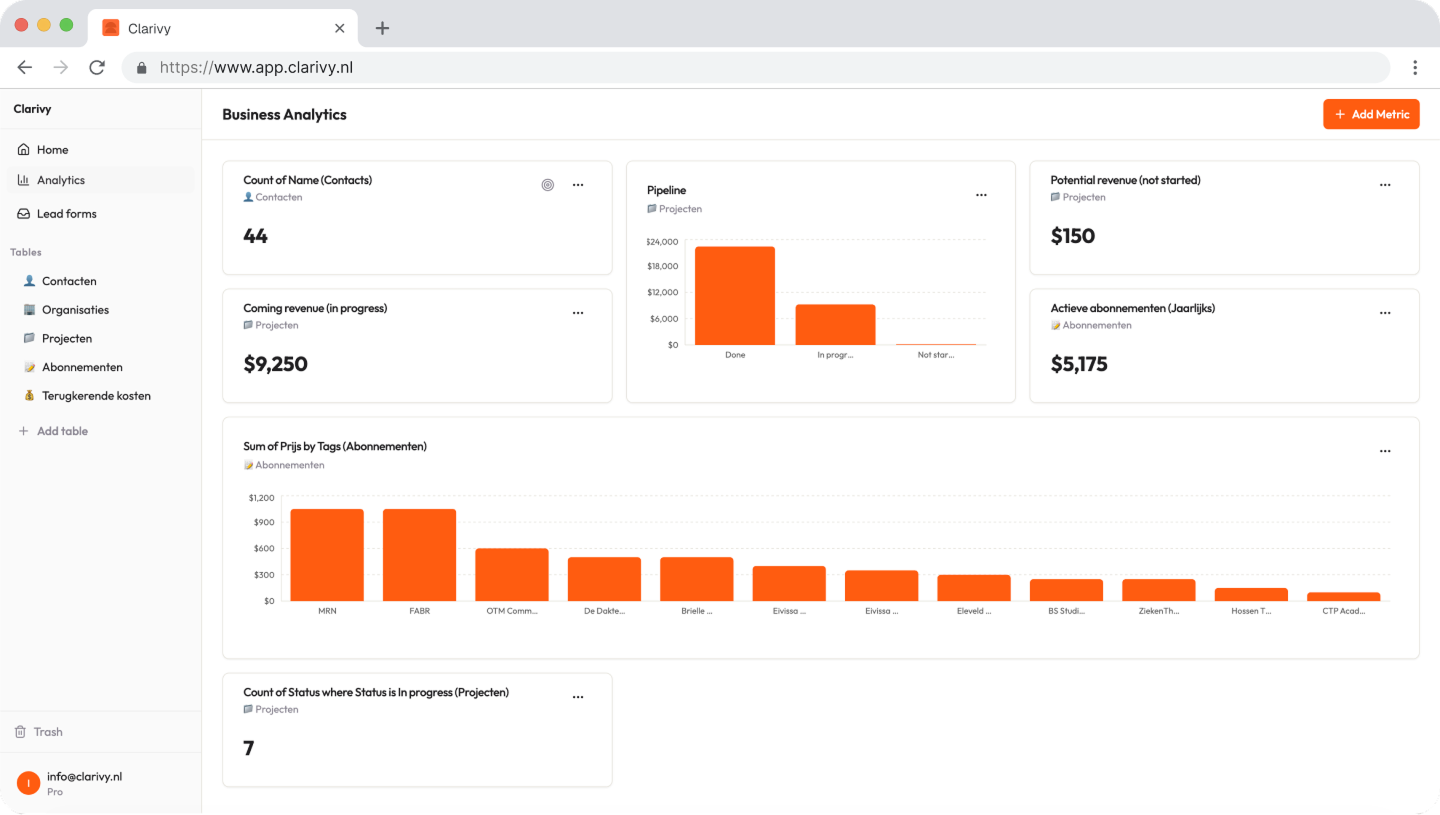
That's it. You never forget a client contract renewal, or a product subscription you've been silently paying for.
Renewals feed straight into the rest of your numbers too: the same dates show up in your revenue analytics, so recurring income or costs are not a mystery until the invoice lands.
A few things we built in deliberately, given who this is for:
- Built for one person, not a team. No ownership assignment, no approval chain — there's no one to assign it to but you.
- Both directions, in one place. What you pay and what you're owed, tracked the same way, so neither one goes quiet.
- A free tier that's actually usable. Not a fifteen-minute trial built to get you into a sales call.
Know three weeks before it renews, while you can still do something about it. Join the waitlist to get early access.
FAQ
What should a renewal tracker track?
At minimum: the renewal date, current rate, and notice period for each contract or subscription. The field that matters most, though, is the decision deadline — the last date you can act before the renewal happens automatically. Track that one specifically, not just the renewal date itself.
How far ahead should reminders go?
Far enough to actually do something with. A three-week heads-up before your decision deadline is usually enough time to compare options, have a conversation, or adjust a rate. A reminder on the renewal date itself just tells you what already happened.
Do I need software, or is a spreadsheet enough?
A spreadsheet can hold the dates. What it won't do is remind you to open it. If you're disciplined enough to check it weekly, a spreadsheet works — most people aren't, which is the whole reason renewals slip in the first place. A tool that surfaces the deadline on its own removes the one step people actually fail at.
Can I track both what I pay and what clients pay me?
Yes, and you should. Most renewal tracking only covers costs, but for a one-person business the money you're owed — retainers, maintenance contracts, ongoing packages — is usually the bigger number, and it's just as easy to lose track of when it renews at an old rate or lapses quietly.


Stop guessing how your business is doing