


How to send Toggl Track time entries to Clarivy
Clarivy doesn't do time tracking, and it shouldn't. Here's how to send every Toggl Track entry into Clarivy automatically with Make, so hours show up against the right client without retyping anything.
 7 minSeptember 7, 2026
Why Clarivy doesn't try to replace Toggl
Most freelancers who track time never do anything with it. The hours sit in Toggl, and the question you actually care about — is this project eating more time than I quoted? — stays unanswered because the hours live in one place and the project lives in another.
Clarivy isn't a time tracker, and it's not trying to become one. Toggl already does that job well: a timer, a project list, reports you can export. Rebuilding that inside a CRM would just give you a worse version of a tool you already like.
What Toggl can't do is tell you whether the hours you logged this month were worth what you charged, or which client is quietly eating more time than the invoice covers. That's a business question, not a time-tracking one, and it needs your hours sitting next to your client and project data, not in a separate app.
So instead of picking one tool over the other, this connects them: Toggl keeps tracking time, and every entry lands in Clarivy automatically.
Your options, honestly
| Option | Keeps Toggl | Shows up against clients | Cost |
|---|---|---|---|
| Toggl's own reports | Yes | No, project totals only | Included |
| Export to CSV, paste into a sheet | Yes | Manually | Free, but it's a chore |
| Toggl's Zapier integration | Yes | Yes | Free tier is small, fills up fast |
| Make scenario to a Clarivy webhook | Yes | Yes | Free on Make's starter plan |
If you only need totals per project, Toggl's built-in reports already do that, and there's no reason to set anything up. This is for when you want time sitting inside Clarivy next to the client it belongs to.
What you're building
A Make scenario that checks Toggl Track for new time entries, splits them depending on whether they have a project attached, and posts each one to a webhook in Clarivy. Fifteen minutes, no code.
1. Get your Toggl Track API token
In Toggl, open your profile settings and find the API Token section. Click to reveal it and copy it, you'll need it when you connect the Toggl Track app in Make.

Treat this token like a password. Anyone who has it can read your time entries.
2. Create a connection in Clarivy and copy the webhook URL
In Clarivy, go to Connections and create a new one. Name it something you'll recognise, "Toggl connection" is fine, and copy the webhook URL it generates.
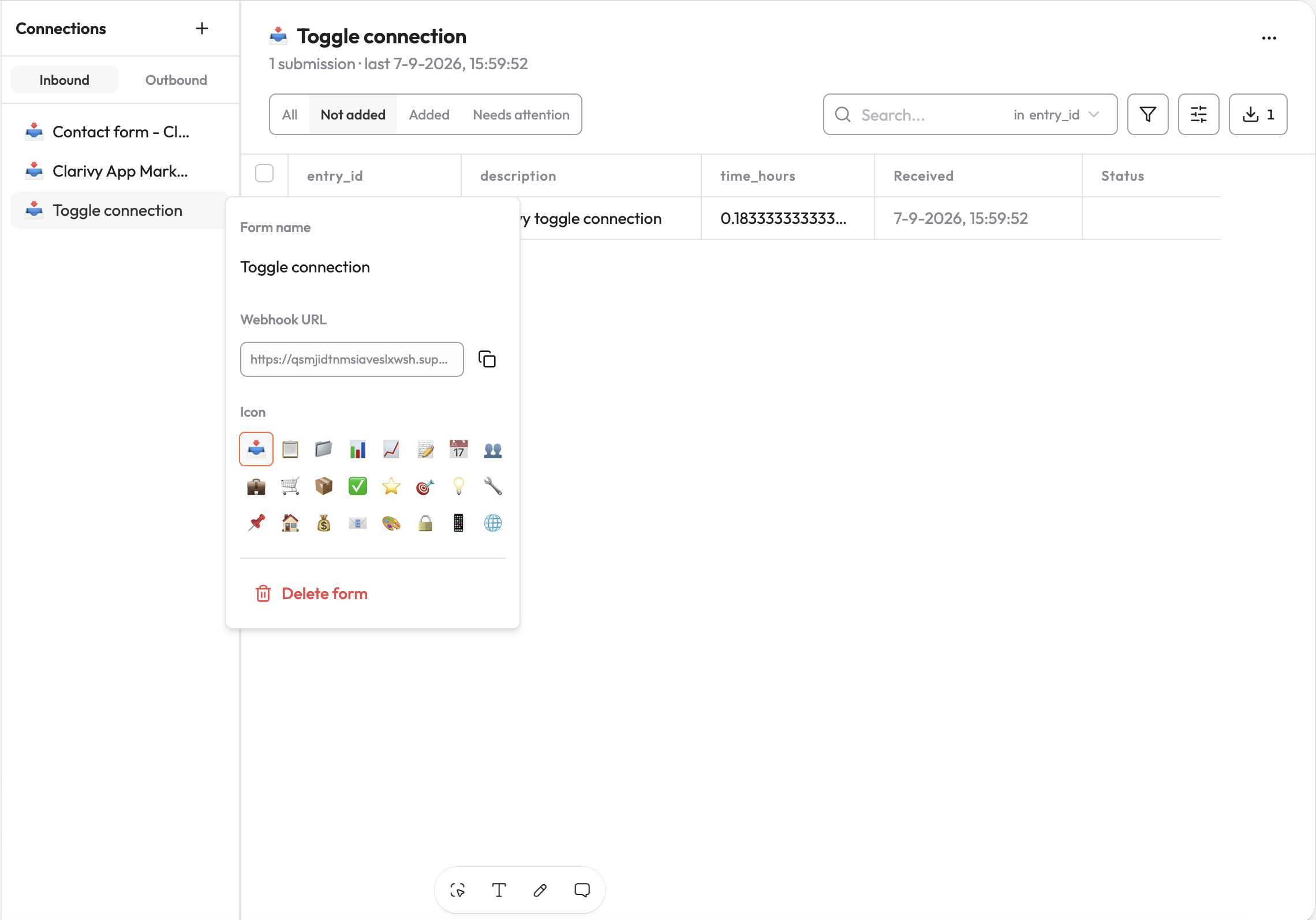
Same rule as the API token: this URL is effectively a password. Anyone with it can post data into that connection.
3. Build the scenario in Make
Create a new scenario and add Toggl Track → Watch Time Entries as the trigger. Connect it with the API token from step 1.
From there, add a Router and split it into two paths: one for entries that already have a project attached, one for entries that don't. Not every time entry gets logged against a project, and you don't want the scenario to fail on the ones that didn't.
- On the path with a project, add Toggl Track → Get a Project first, so you can pull the project's name into the payload.
- On both paths, add an HTTP module set to POST, pointed at the Clarivy webhook URL from step 2.
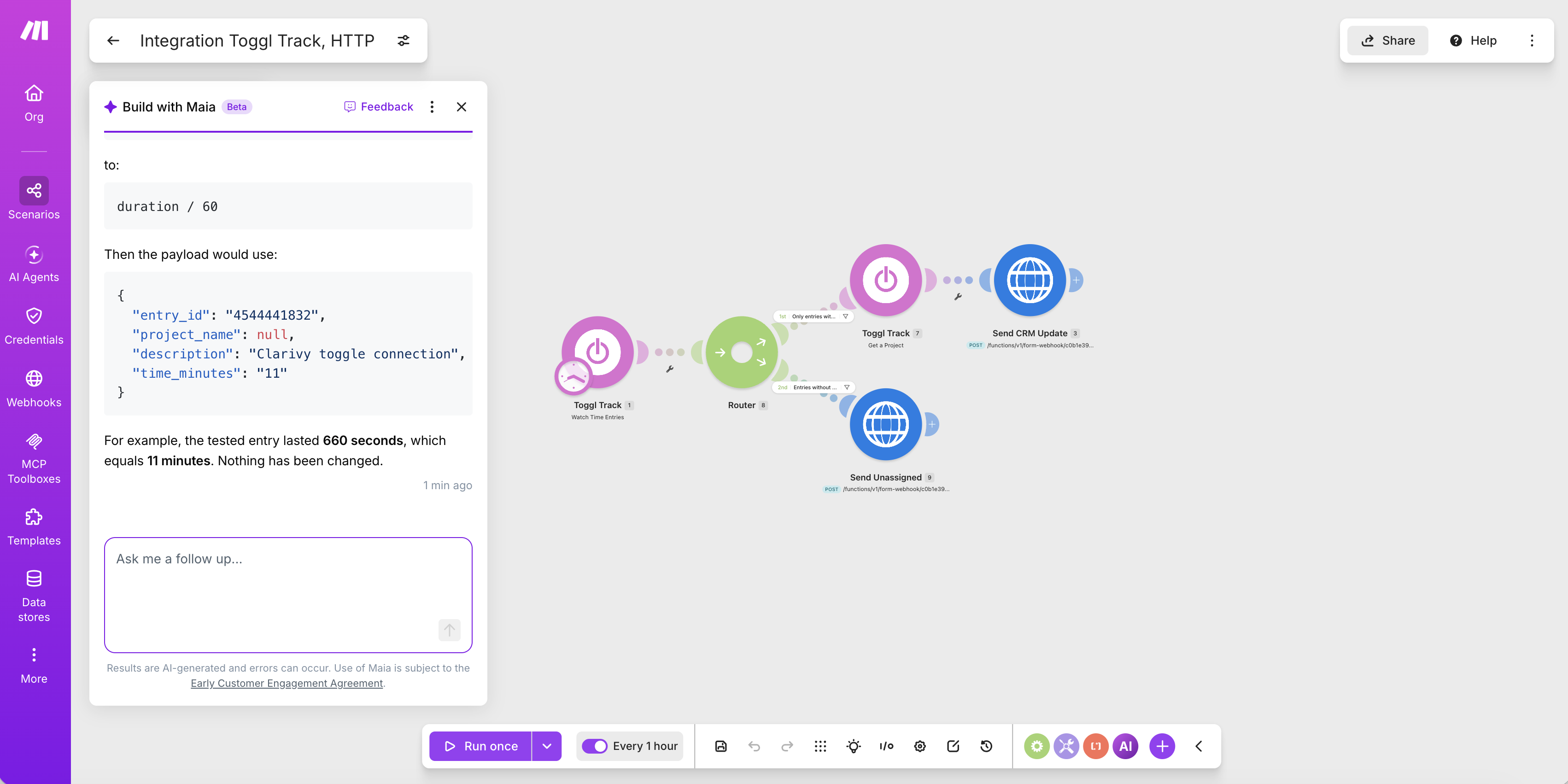
One thing worth knowing about this trigger: Toggl doesn't push entries to Make the instant you stop a timer, Make polls for them on a schedule instead. The scenario above checks every hour, which is plenty for business reporting. Turn the interval down if you want it sooner, just keep an eye on your Make plan's execution quota.
4. Build the payload
In each HTTP module, set the body to JSON and map in the fields you want. Toggl reports duration in seconds, so convert it before sending it on, dividing by 60 gets you minutes:
{
  "entry_id": "4544441832",
  "project_name": null,
  "description": "Clarivy toggle connection",
  "time_minutes": "11"
}
That example is a real entry that lasted 660 seconds, which the mapping turned into 11 minutes. Make's built-in AI assistant is genuinely useful here if you'd rather describe the formula than write it: tell it what field you want and where the value should come from, and it drafts the mapping for you.
5. Run it once and check Clarivy
Save the scenario and click Run once, then stop a Toggl timer (or wait for the schedule) so a real entry goes through. Back in Clarivy, open the connection and confirm the entry landed with its fields parsed out.
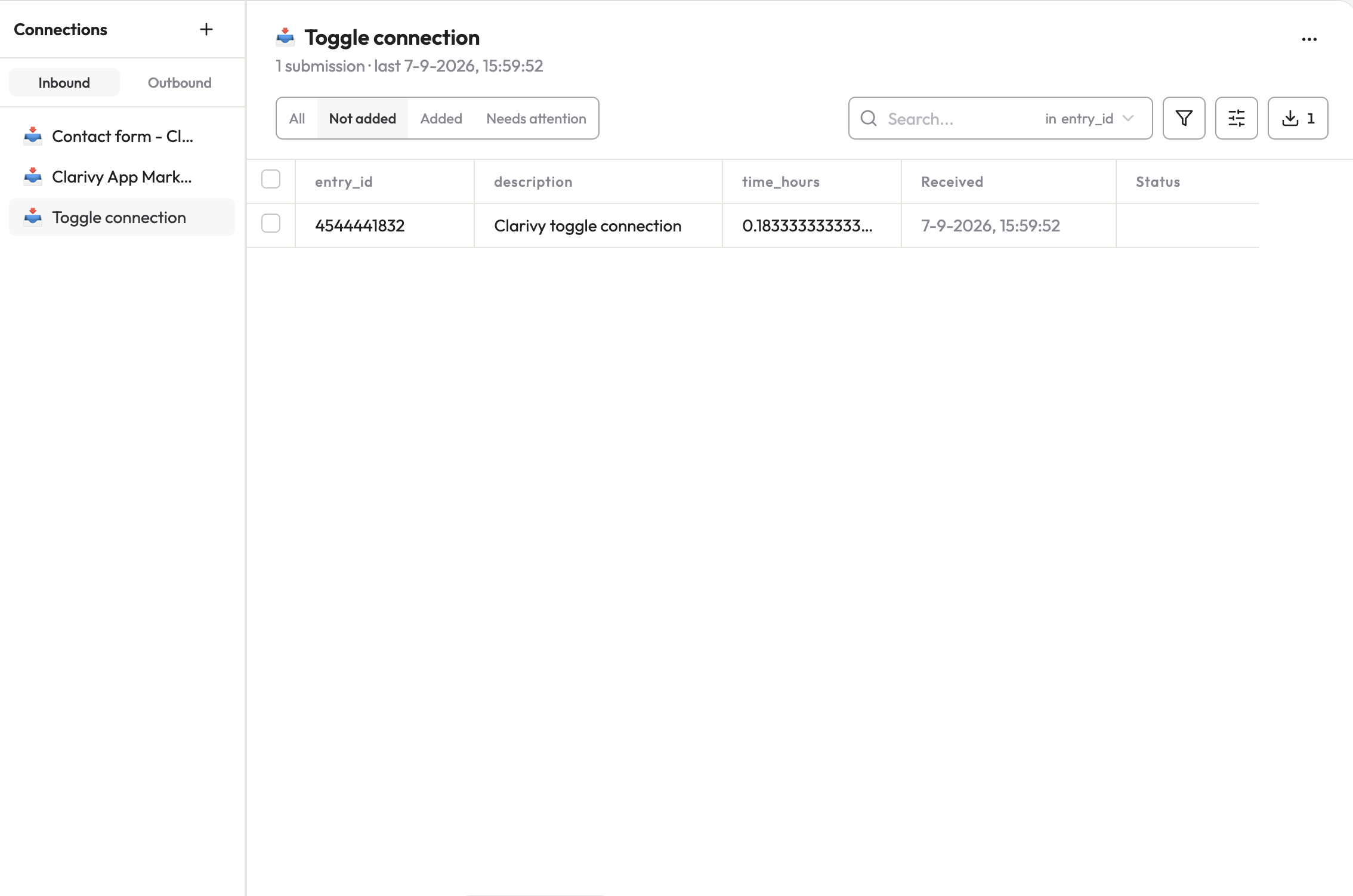
6. Map fields to a table and turn it on
Pick the table you want time entries to land in, match each incoming field to a column, and switch the automation on. From here it's hands-off: stop a timer in Toggl, and within the hour it's a record in Clarivy.
What this is actually for
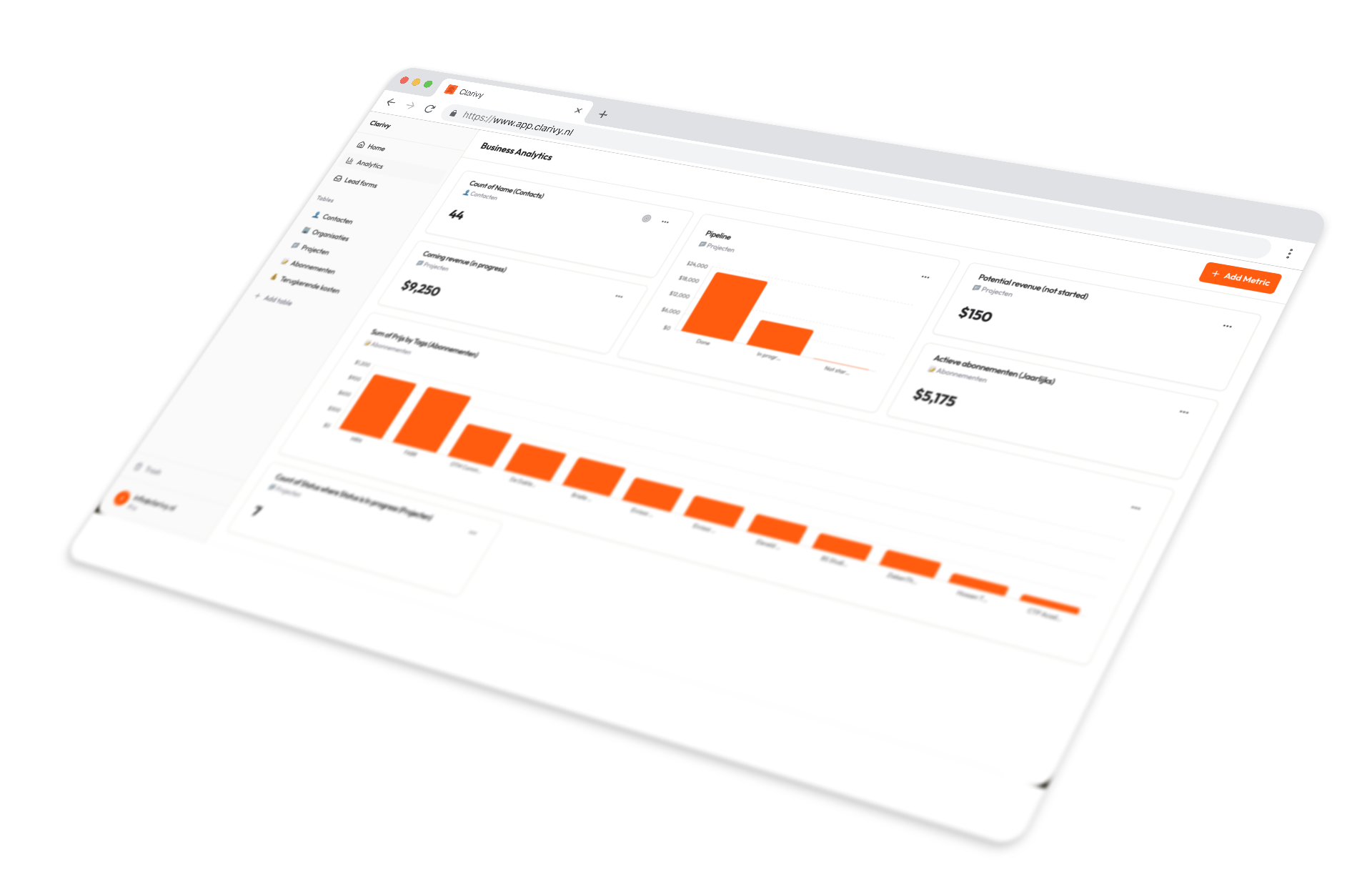
A pile of time entries isn't the point, what you do with them is. Once hours are sitting in the same place as your clients and projects, "how much time is this client actually costing me relative to what they pay" stops being something you'd have to reconstruct from two apps, and starts being something your business analytics can just show you.
It also means time shows up in your weekly digest without you doing anything extra: log it in Toggl like normal, and it's already there.
FAQ
Does Clarivy do time tracking?
No, and it isn't trying to. Clarivy is the layer that sits above tools like Toggl, pulling the data in so it means something in the context of your business, not a replacement for the timer itself.
Do I need Make, or does Toggl's own Zapier integration work?
Either works. Toggl's Zapier integration is a fine shortcut if you're already paying for Zapier. Make's free plan generally goes further before you hit a limit, which is why this guide uses it.
Why does the scenario need a Router?
Not every Toggl entry has a project attached. Without the split, a request that expects a project name would fail, or send a blank one, on every entry logged without one.
How fast do entries show up in Clarivy?
As fast as the polling interval on the Watch Time Entries trigger, an hour in the example above. Toggl doesn't push entries out instantly, so there's always some delay; you can shorten it, within what your Make plan allows.
Does this send data back to Toggl?
No. The webhook only pushes from Toggl through Make into Clarivy. Nothing about your Toggl account or entries changes.
Do I need a paid Toggl plan for this?
No. The API token used to connect Toggl Track in Make is available on Toggl's free plan.

Stop guessing how your business is doing